
1. Introduction to Gold365 Account Verification
Account verification on Gold365 is the first and most important step every new player must complete before accessing full betting features, deposits, and withdrawals. The process is designed to be simple, secure, and beginner-friendly, ensuring that all users who join the platform are authentic and eligible to participate.
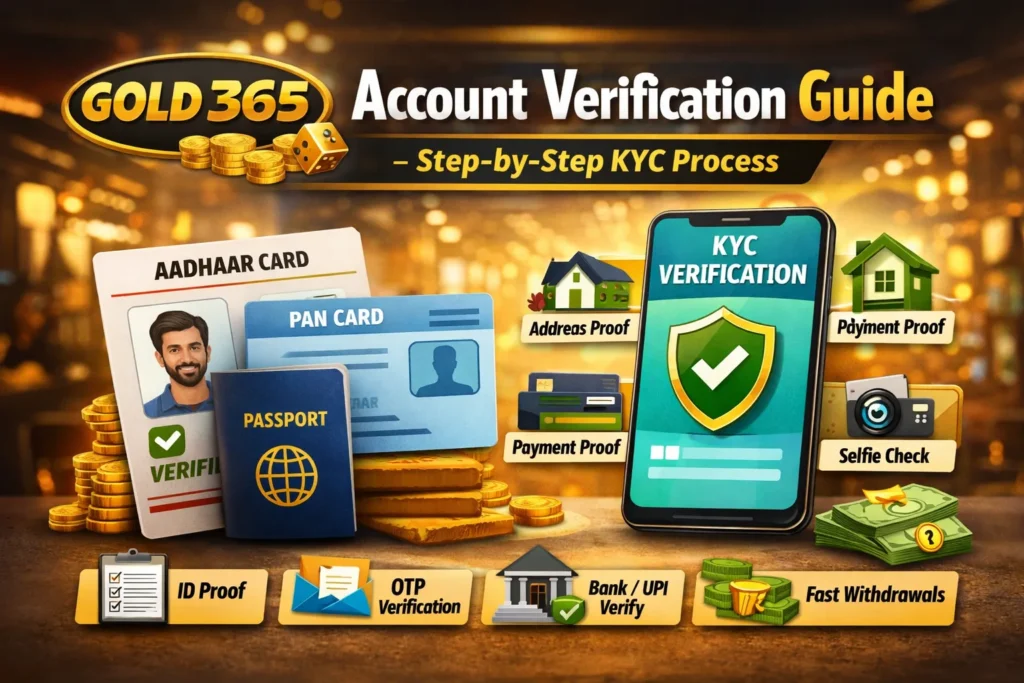
In this detailed introduction, you will understand what Gold365 account verification means, why it is required, and how it helps you create a safe and trustworthy betting experience. Whether you are completely new to online betting or switching from another platform, this guide will make the entire process clear and easy.
What Is Gold365 Account Verification?
Gold365 account verification is a mandatory KYC (Know Your Customer) process where players confirm their identity by submitting basic personal details and valid documents. This includes:
- Identity proof
- Address proof
- Age confirmation
- Contact information verification
This ensures that every user is genuine, legally allowed to participate, and fully protected during their betting journey.
Why Verification Is Essential Before Betting
Gold365 ensures a 100% secure ecosystem by verifying users before allowing them to place bets or withdraw winnings. Verification helps prevent:
- Fake accounts
- Fraudulent activities
- Underage betting
- Misuse of payment methods
Because of this, Gold365 maintains a safe and trusted environment for all users—beginners and experienced bettors alike.
Who Needs Gold365 Verification?
Every new user who creates an account must complete verification, especially if they plan to:
- Deposit money
- Claim bonuses
- Participate in large bets
- Withdraw winnings
- Use advanced features on the platform
If your account remains unverified, your access will be limited, and your withdrawals may be placed on hold.
What This Guide Will Cover
This blog will walk you through the exact step-by-step Gold365 account verification process, including:
- Required documents
- Upload instructions
- How to verify your payment details
- Common mistakes to avoid
- Troubleshooting verification issues
By the end of this guide, you’ll be fully confident in completing the Gold365 verification process—smoothly and without delays.
2. Why Gold365 Verification Matters for New Players
Gold365 account verification is more than just a formal step — it is the foundation of a safe, secure, and legally compliant betting experience. For new players, understanding the importance of this process ensures that your betting journey starts smoothly and without unnecessary delays. In this section, we break down the key reasons why verification is crucial and how it benefits you directly.
1. Ensures a Safe and Authentic Betting Environment
Gold365 follows strict security standards to ensure every user on the platform is genuine and legally eligible. Verification prevents:
- Fake or duplicate accounts
- Identity theft
- Underage betting
- Fraudulent activity
Because all players are verified, Gold365 maintains a transparent and trustworthy ecosystem where you can play with confidence.
2. Protects Your Winnings and Account Balance
Without verification, users often face:
- Withdrawal restrictions
- Delays in receiving winnings
- Limits on deposit or betting amounts
Once your account is verified, your profile becomes fully protected. Gold365 ensures that only you can access your money, bonuses, and betting history.
3. Unlocks Full Platform Features
Verification activates premium features that are locked for unverified users. Once verified, you can:
- Make unlimited deposits
- Withdraw instantly
- Claim welcome bonuses
- Access special events
- Place high-stakes bets
Gold365 treats verified players as priority users, giving you a smoother and enhanced betting experience.
4. Builds Trust With the Platform
Gold365 uses industry-standard KYC verification similar to major financial and trading platforms. When you complete verification, it signals that:
- You are a legitimate user
- You follow responsible practices
- You can safely engage in high-value transactions
This establishes a strong trust connection between you and the platform.
5. Helps Maintain Platform Integrity
Gold365 continuously works to offer a secure and fair betting environment. Verification is a major part of this system, helping protect both players and the platform from misuse.
It ensures:
- Fair play
- Responsible usage
- High-quality user experience
- Long-term platform safety
6. Provides Faster Customer Support
Verified accounts receive:
- Priority support
- Faster resolution for issues
- Quick assistance for payment problems
- Better protection in case of disputes
Gold365 ensures that verified users get rapid and dedicated support, making your betting experience smooth and frustration-free.
7. Legal Compliance & Responsible Gaming
Online betting platforms must follow compliance rules, including anti-fraud regulations. Verification helps Gold365 maintain:
- Compliance with security laws
- Age verification policies
- Anti-money-laundering checks
This keeps the platform legal, reliable, and secure for all users.
8. Prevents Account Suspension or Delays
If you skip verification, you may face:
- Temporary account freeze
- Failed withdrawals
- Reduced betting limits
- Account suspension
Completing verification early avoids these issues and ensures uninterrupted platform access.
Conclusion of Section 2
For new players, Gold365 verification is a necessary and beneficial step. It not only boosts your security but also opens the door to a smoother, faster, and more rewarding betting experience.
3. Documents Required for Gold365 Account Verification
Before you begin the Gold365 verification process, it’s important to know exactly which documents you need, how to prepare them, and what formats are accepted. Having these ready in advance ensures a smooth and fast KYC (Know Your Customer) approval — without delays or rejections.
This section provides a complete list of all documents required for Gold365 verification, along with examples, tips, and common mistakes to avoid.
3.1 Identity Proof (Mandatory)
Gold365 requires every user to submit a valid government-issued ID for confirming identity and age. You can provide any ONE of the following:
- Aadhaar Card
- PAN Card
- Passport
- Voter ID
- Driving License
Important requirements:
- The ID must be clear and readable
- No cropped edges
- Name and date of birth must match profile details
- Photo should be clearly visible
Best Choice: Aadhaar Card (fastest verification due to complete details)
3.2 Address Proof (Mandatory)
Gold365 needs a document that verifies your current residential address. Acceptable documents include:
- Aadhaar Card
- Driving License
- Passport
- Electricity Bill (latest)
- Water Bill
- Gas Bill
- Bank Statement (with address)
- Landline/Internet Bill
Address proof must:
- Not be older than 3 months (for bills/statements)
- Match the address provided during registration
- Be clear and fully visible
3.3 Age Verification Documents
To ensure you are legally eligible for betting (18+), Gold365 checks your age through:
- Aadhaar Card
- Passport
- PAN Card (not always accepted for age unless DOB is printed)
If your ID does not clearly show your DOB, you may be asked to provide additional proof.
3.4 Contact Verification (Mobile + Email)
Gold365 verifies your contact details through OTP:
- Mobile OTP verification
- Email OTP verification
Tips:
- Ensure your mobile number is active
- Use an email you frequently check
- Avoid using someone else’s number
3.5 Payment Verification Documents
(To be used in Section 6 in detail, but listed here.)
Gold365 may require proof to verify the payment method you are using:
- Bank passbook photo
- Cancelled cheque
- Screenshot of UPI ID
- Screenshot of the bank account used for deposits
This ensures your withdrawals are processed only to your verified payment source.
3.6 Selfie / Live Photo Verification
Gold365 may ask for a live selfie to match your identity card.
Requirements:
- Good lighting
- Face visible clearly
- No filters or modifications
- Match with uploaded ID
This step helps prevent fake accounts and impersonation.
3.7 Optional Documents (Requested Only If Needed)
These are rarely required but may be asked for extra verification:
- Latest bank statement for large transactions
- Proof of fund source (for high-value accounts)
- Additional ID if primary document is unclear
3.8 Format Requirements (IMPORTANT)
Gold365 accepts the following document formats:
- JPG / JPEG
- PNG
File guidelines:
- Minimum size: 200 KB
- Maximum size: Usually 5 MB
- The document must be uncropped and fully visible
3.9 Common Mistakes to Avoid During Verification
Avoid these to prevent delays:
- Blurry or dark document photos
- Mismatched details (name, address, DOB)
- Using expired documents
- Uploading screenshots instead of real photos
- Cutting or cropping edges of documents
- Using someone else’s ID
3.10 Quick Example (Ideal Document Set)
For fastest approval, upload:
- Aadhaar Card (Front & Back) – Identity + Address + Age
- PAN Card – Additional identity proof
- Selfie photo – Face verification
- Bank screenshot – For withdrawals
This combination ensures fast, smooth, and 100% approval in most cases.
4. How to Start the Gold365 Verification Process (Step-by-Step Overview)
Starting the Gold365 account verification process is simple, even for beginners. This section gives you a complete overview of the full procedure, explaining each step in an easy, practical way before we move into the detailed verification process in the next sections.
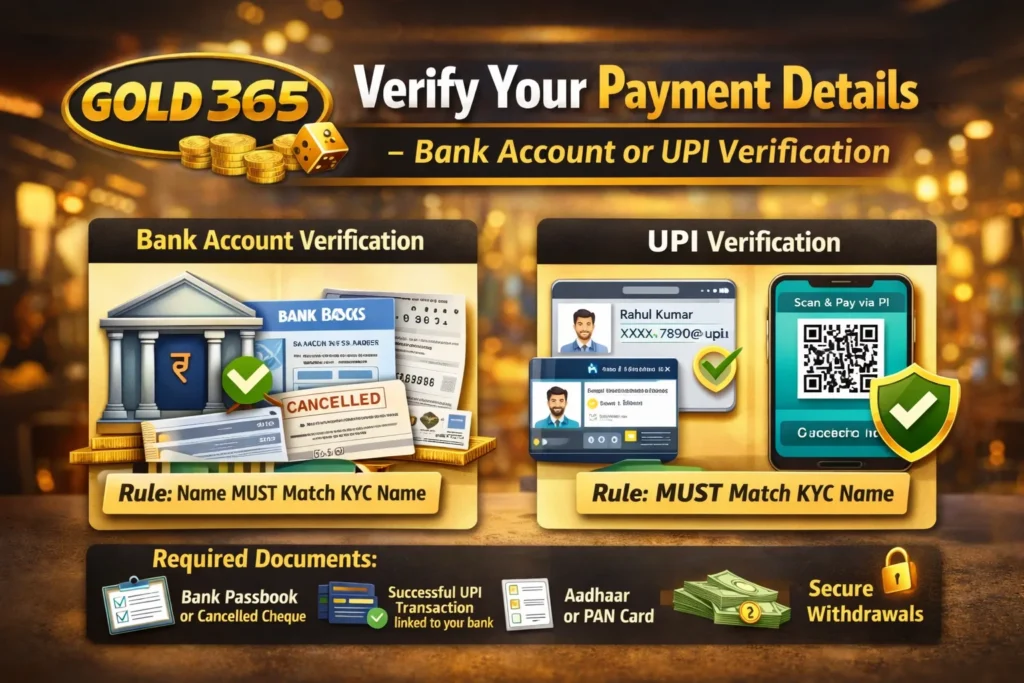
This overview helps you understand exactly what happens, when it happens, and what you need to prepare so your verification is completed without delays.
4.1 Create Your Gold365 Account
The verification journey starts right after you create your Gold365 account.
You will need to enter:
- Full Name
- Mobile Number
- Email Address
- Password
Pro Tip: Use the same name as on your ID documents to avoid verification issues later.
4.2 Login to Your Dashboard
Once you sign up, log in to your Gold365 account dashboard.
Here you will see:
- Verification Status (Unverified / Pending / Verified)
- KYC Upload Option
- Payment Details Section
- Personal Profile Settings
At this stage, your account is active but restricted until verification is completed.
4.3 Navigate to the Verification Section
On your dashboard, locate the “Account Verification”, “KYC”, or “Profile Verification” tab.
This is usually found under:
- Profile Settings
- Account Settings
- Security Section
Once you enter this area, Gold365 will show the exact documents required.
4.4 Upload Identity Proof
You will be required to upload any one identity document:
- Aadhaar Card
- Passport
- PAN Card
- Driving License
Important: Upload clear photos of both sides (front + back) if applicable.
4.5 Upload Address Proof
Next, add a document that verifies your current residential address:
- Aadhaar
- Driving License
- Bank Statement
- Utility Bills
Make sure the address matches the one provided during registration.
4.6 Complete Mobile & Email Verification
Gold365 sends:
- Mobile OTP
- Email OTP
Enter both OTPs to confirm your contact details.
This ensures smooth communication for:
- Alerts
- Security notifications
- Withdrawal updates
4.7 Submit a Selfie for Face Verification
Gold365 may ask for a live selfie or a recent photograph to confirm your identity.
Tips:
- Stand in good light
- Keep your face clear and visible
- Avoid caps, masks, or filters
This protects your account from impersonation.
4.8 Submit Payment Method for Verification
Before enabling withdrawals, Gold365 requires verification of your payment source:
You may need to upload:
- Bank Passbook photo
- UPI screenshot
- Cancelled cheque
- Bank account screenshot
This ensures that Gold365 sends your winnings securely to your verified account.
(We will cover this in Section 6 in detail.)
4.9 Submit Your Verification Request
Once all documents are uploaded correctly, click:
- Submit
- Verify Now
- Complete KYC
You will then receive:
- A verification confirmation message
- Estimated approval time (usually within a few hours)
4.10 Wait for Verification Approval
Gold365 reviews your documents manually or automatically.
Typical results:
- Approved – All good
- Pending – Document quality needs checking
- Rejected – Wrong document / unclear image / mismatch
If rejected, Gold365 clearly states the reason so you can re-upload correctly.
4.11 What Happens After Verification?
Once verified, you can now:
- Deposit money anytime
- Withdraw winnings instantly
- Claim bonuses
- Place unlimited bets
- Access full platform features
Your account is now 100% secure and trusted within the Gold365 system.
5. How to Complete KYC Verification on Gold365 (Detailed Steps)
Completing KYC verification on Gold365 is a critical step that unlocks all features of your betting account. While the previous section gave you an overview, this section explains the exact KYC process in detail, so you can complete it correctly on your first attempt—without rejection or delays.
This step-by-step Gold365 KYC verification guide is specially written for beginners, using simple language and practical tips.
5.1 What Is KYC Verification on Gold365?
KYC (Know Your Customer) is a verification process where Gold365 confirms that:
- You are a real person
- Your identity is genuine
- Your age is legal (18+)
- Your account is not involved in fraud
Gold365 KYC verification protects both the player and the platform, making betting safe and transparent.
5.2 Step 1: Access the KYC Section
After logging in to your Gold365 account:
- Go to Profile / Account Settings
- Click on KYC Verification or Verify Account
- Your current status will show as:
- Unverified
- Pending
- Verified
If unverified, click “Start KYC” or “Verify Now”.
5.3 Step 2: Enter Personal Details Carefully
You will be asked to fill in:
- Full Name
- Date of Birth
- Gender
- Residential Address
Important Rule:
All details must exactly match your ID documents. Even small spelling differences can cause rejection.
Example:
If your Aadhaar name is Rahul Kumar Singh, do NOT write Rahul Singh.
5.4 Step 3: Upload Identity Proof
Now upload one valid ID:
Accepted documents:
- Aadhaar Card
- Passport
- Driving License
- PAN Card
Upload Tips:
- Use original photos, not screenshots
- Avoid blur, glare, or shadows
- Upload both sides if required
- Ensure all text is readable
Best Option: Aadhaar Card (fastest approval)
5.5 Step 4: Upload Address Proof
Gold365 verifies where you live to ensure account authenticity.
Accepted address proofs:
- Aadhaar Card
- Driving License
- Passport
- Utility Bill
- Bank Statement
Key Checks by Gold365:
- Address matches profile details
- Document is recent (if bill-based)
- Full page visible (no cropping)
5.6 Step 5: Complete Selfie / Face Verification
This step confirms that you are the same person as on the ID.
Gold365 may ask for:
- Live selfie through camera
- Uploaded recent photo
Selfie Guidelines:
- Face fully visible
- No sunglasses, cap, or mask
- Neutral expression
- Good lighting
This step is crucial to prevent fake or duplicate accounts.
5.7 Step 6: Verify Mobile Number & Email
Gold365 sends OTPs to:
- Your registered mobile number
- Your registered email ID
Enter both OTPs correctly to complete contact verification.
Why this matters:
- Security alerts
- Withdrawal updates
- Account recovery
5.8 Step 7: Review All Details Before Submission
Before clicking submit, double-check:
- Name spelling
- Document clarity
- Address match
- Correct document type
This one-minute review can save hours of re-verification.
5.9 Step 8: Submit KYC for Review
Click Submit / Complete KYC.
After submission:
- Status changes to Pending
- Gold365 team reviews your documents
Typical outcomes:
- Approved – Full access unlocked
- Rejected – Reason shown (you can re-upload)
5.10 How Long Does KYC Verification Take?
In most cases:
- Verification takes 30 minutes to 24 hours
- Sometimes faster if documents are clear
Delays may occur due to:
- Blurry images
- Name mismatch
- Incorrect document upload
5.11 What Happens After Successful KYC?
Once verified, you can:
- Withdraw winnings without issues
- Deposit higher amounts
- Access all betting markets
- Claim bonuses
- Enjoy uninterrupted betting
Your Gold365 account becomes fully trusted and secure.
6. How to Verify Your Payment Details on Gold365
Payment verification on Gold365 is a crucial step that ensures your deposits and withdrawals remain safe, fast, and error-free. Even after completing KYC, your account may still face withdrawal restrictions if payment details are not verified correctly. This section explains how to verify your bank or UPI details on Gold365, step by step, with practical tips.
6.1 Why Payment Verification Is Required on Gold365
Gold365 verifies payment details to ensure that:
- Withdrawals go only to your own account
- No third-party or fake payment methods are used
- Your money remains protected from fraud or misuse
This step protects both the platform and the player, especially during high-value withdrawals.
6.2 When Is Payment Verification Needed?
Payment verification is usually required when:
- You request your first withdrawal
- You add a new bank account or UPI ID
- You change your existing payment method
- You withdraw a large amount
If payment details are unverified, your withdrawal may be paused or delayed.
6.3 Accepted Payment Methods on Gold365
Gold365 supports multiple secure payment options, including:
- Bank Transfer (IMPS / NEFT)
- UPI (Google Pay, PhonePe, Paytm, etc.)
- Sometimes wallets (as per availability)
Each payment method must be verified before withdrawals are enabled.
6.4 Documents Required for Payment Verification
Depending on your chosen method, Gold365 may ask for:
For Bank Account Verification:
- Bank passbook front page (clear photo)
- Cancelled cheque
- Bank statement (showing name & account number)
For UPI Verification:
- Screenshot of UPI ID (with name visible)
- Screenshot of successful deposit transaction
- Bank-linked UPI confirmation screen
Important:
The account holder name must match your KYC name exactly.
6.5 Step-by-Step Payment Verification Process
Follow these steps to verify payment details smoothly:
- Login to your Gold365 account
- Go to Profile → Payment / Withdraw Section
- Select Add Payment Method
- Choose Bank Account or UPI
- Enter required details carefully
- Upload supporting documents
- Click Submit for Verification
Once submitted, your status will show as Pending.
6.6 Common Mistakes That Cause Payment Verification Failure
Avoid these common errors to prevent delays:
- Using someone else’s bank account
- Name mismatch between KYC and bank
- Blurry screenshots or cropped images
- Uploading edited or fake documents
- Using unsupported payment methods
Gold365 strictly allows only self-owned payment accounts.
6.7 How Long Does Payment Verification Take?
In most cases:
- Verification takes 1 to 24 hours
- Sometimes faster for UPI
- Delays may occur during peak hours or document issues
If delayed, you can contact customer support for updates.
6.8 What Happens After Payment Verification?
Once approved, you can:
- Withdraw winnings instantly
- Receive payments without errors
- Enjoy higher withdrawal limits
- Avoid future verification issues
Your Gold365 account becomes fully withdrawal-ready.
6.9 Pro Tips for Faster Approval
- Use the same bank name as KYC
- Upload clear, original photos
- Avoid screenshots with cropped edges
- Verify payment details early (before big wins)
7. Common Verification Issues & How to Fix Them
Even though the Gold365 verification process is designed to be simple, many new users still face rejections or delays due to small mistakes. This section helps you understand the most common verification issues, why they happen, and—most importantly—how to fix them quickly so your account gets approved without further problems.
This guide covers identity, address, payment, and profile-related issues in a clear, solution-focused format.
7.1 Identity Mismatch Issues
This is the most common reason for KYC rejection. Gold365 checks your identity document against the information you entered.
Common errors:
- Name mismatch
- Spelling mistakes
- Using abbreviations
- Using nickname instead of full legal name
Example:
Profile name: Ravi S.
ID name: Ravi Sharma → Rejected
How to Fix:
- Re-enter your full legal name exactly as shown on your document
- Re-upload the correct ID
- Make sure the name matches all other documents
7.2 Blurry or Low-Quality Document Photos
If your document images are unclear, Gold365 may not be able to verify your details.
Causes:
- Low camera quality
- Poor lighting
- Shadows or glare
- Cropped or partial images
How to Fix:
- Use a good smartphone camera
- Hold the ID steady and flat
- Take photos in bright, natural light
- Ensure all edges and text are visible
7.3 Incorrect Document Upload
Some users upload the wrong documents in the wrong sections.
Examples:
- Uploading a PAN card as address proof
- Uploading a bank screenshot instead of a valid ID
- Uploading edited documents
How to Fix:
- Follow document categories carefully
- Prepare ID + Address + Selfie before starting
- Avoid any edited or filtered documents
7.4 Address Mismatch Issues
Your address proof must match the address you filled in your profile.
Common mistakes:
- Old address on ID
- Typing errors in address
- Using outdated bills
How to Fix:
- Update your profile to match the document address
- Use a current utility bill (not older than 3 months)
- Upload Aadhaar if it has your updated address
7.5 Age Verification Failure
If your ID does not clearly show your date of birth, your account may get rejected.
How to Fix:
- Upload an ID that clearly displays your DOB
- Use Aadhaar or Passport, as they show complete details
7.6 Selfie Verification Issues
Gold365 uses AI face-matching to confirm your identity.
Common errors:
- Dark photo
- Side angle instead of front
- Wearing a mask or cap
- Too close or too far from the camera
How to Fix:
- Stand facing a light source
- Remove glasses if they reflect light
- Keep your face fully visible
- Hold phone at eye level
7.7 Mobile or Email Verification Failure
Sometimes OTP does not arrive or gets rejected.
Reasons:
- Poor network
- Wrong mobile number
- Wrong email spelling
- Spam folder issues
How to Fix:
- Recheck your mobile number
- Verify email spelling
- Request OTP again after 30 seconds
- Check spam/junk folder
7.8 Payment Verification Errors
Payment verification can fail if banking details do not match your ID.
Common issues:
- Using a family member’s bank account
- Wrong IFSC code
- UPI ID mismatch
- Screenshot without name
How to Fix:
- Use only your own bank account
- Upload screenshot showing your name clearly
- Enter correct account/IFSC details
- Avoid third-party UPI IDs
7.9 File Format or Size Issues
Gold365 accepts only specific formats.
Avoid mistakes like:
- Uploading files over 5MB
- Uploading unsupported formats
- Trying to upload zip files
How to Fix:
- Use JPG, PNG, or PDF
- Compress images without reducing clarity
- Upload one document at a time
7.10 Verification Delays
Sometimes delays happen even if documents are correct.
Reasons:
- High verification load
- Manual review required
- Additional checks by the system
How to Fix:
- Wait for at least 24 hours
- Contact Gold365 support if delay exceeds 48 hours
- Recheck email for any requests from the team
7.11 Rejection Without Clear Reason
In rare cases, your KYC may be rejected without a clear explanation.
What to do:
- Re-upload clearer documents
- Try alternative ID (such as passport or DL)
- Make sure all info matches perfectly
8. How Long Gold365 Verification Takes & What to Expect
One of the most common questions new users ask is: “How long does Gold365 account verification take?”
The good news is that Gold365 follows a fast, structured, and transparent verification system, especially when users submit correct documents on the first attempt.
In this section, you’ll get a clear idea of verification timelines, approval stages, possible delays, and what you should do while waiting.
8.1 Standard Gold365 Verification Time
In most cases, Gold365 verification is completed within:
- 30 minutes to 24 hours for KYC verification
- 1 to 24 hours for payment method verification
Many users get approved on the same day, especially when documents are clear and correctly uploaded.
8.2 Verification Stages Explained
Your Gold365 account verification usually goes through the following stages:
- Submitted
- Documents uploaded successfully
- Status shows “Pending”
- Under Review
- System or verification team checks details
- Identity, address, and selfie are matched
- Approved
- Account becomes fully verified
- Deposits, withdrawals, and bonuses unlocked
- Rejected (If Any Issue Found)
- Reason is usually shown
- You can re-upload corrected documents
8.3 Factors That Affect Verification Speed
Several factors influence how fast your Gold365 verification is approved:
- Quality of document images
- Matching details across all documents
- Correct file format and size
- Peak traffic hours
- Manual review requirement
Fastest approvals happen when:
- Aadhaar is used
- Details perfectly match profile information
- Images are clear and uncropped
8.4 When Verification May Take Longer
Sometimes verification may take more than 24 hours due to:
- High number of new registrations
- Weekend or holiday processing delays
- Additional compliance checks
- Blurry or unclear documents
- Name or address mismatch
In such cases, patience is required, but the issue is usually resolved within 48 hours.
8.5 What You Can Do While Verification Is Pending
While your verification is under review, you can:
- Explore the Gold365 platform
- Learn betting rules and markets
- Check available games and odds
- Prepare your payment details
However, withdrawals remain locked until verification is complete.
8.6 How to Track Your Verification Status
You can check your status anytime by:
- Logging into your Gold365 account
- Going to Profile / Account Settings
- Opening KYC / Verification Section
Status indicators usually show:
- Unverified
- Pending
- Verified
You may also receive updates via email or SMS.
8.7 What to Do If Verification Is Delayed
If your verification takes longer than expected:
- Wait at least 24 hours after submission
- Recheck uploaded documents
- Check email for any messages from Gold365
- Contact customer support if delay exceeds 48 hours
Gold365 support usually responds faster for verified or pending-KYC users.
8.8 After Verification Is Completed
Once your account is verified, you can:
- Withdraw winnings without restrictions
- Deposit larger amounts
- Access bonuses and promotions
- Use all betting features
- Enjoy smooth and uninterrupted betting
Your account becomes fully trusted and withdrawal-ready.
9. Frequently Asked Questions (FAQ)
This FAQ section answers the most common questions users have about the Gold365 account verification process. If you’re a beginner or facing any confusion during KYC or payment verification, these clear and practical answers will help you move forward confidently.
Top Alternative Online Exchanges to Explore in 2026
| Exchange Name | Official Website Link |
|---|---|
| Mahadev Book | https://mahadev.casino |
| Gold365 | https://gold365.tips |
| MagicWin | https://magicwin.one |
| T20WorldCup | https://t20worldcup.online |
| IPLSatta | https://iplsatta.vip |
Q1. Is Gold365 account verification mandatory?
Yes. Gold365 account verification is mandatory for all users who want to:
- Withdraw winnings
- Deposit higher amounts
- Access bonuses
- Use full betting features
Without verification, your account remains limited.
Q2. Can I place bets without completing verification?
In some cases, you may be able to browse or place limited bets, but:
- Withdrawals will be blocked
- Bonuses may not be credited
- Account access may be restricted
For a smooth experience, completing verification early is strongly recommended.
Q3. Which document is best for fast Gold365 verification?
The Aadhaar Card is usually the fastest because it includes:
- Identity proof
- Address proof
- Date of birth
Using Aadhaar reduces the need for multiple documents.
Q4. How many days does Gold365 verification take?
Typically:
- KYC verification: 30 minutes to 24 hours
- Payment verification: 1 to 24 hours
In rare cases, it may take up to 48 hours if manual review is required.
Q5. What happens if my verification gets rejected?
If your verification is rejected:
- Gold365 usually shows the reason for rejection
- You can re-upload corrected documents
- There is no penalty for re-submission
Most users get approved on the second attempt if mistakes are fixed.
Q6. Can I use someone else’s bank account for withdrawals?
No. Gold365 strictly allows withdrawals only to your own verified bank or UPI account.
Using a third-party account can lead to:
- Payment verification failure
- Withdrawal rejection
- Temporary account suspension
Q7. Is my personal data safe on Gold365?
Yes. Gold365 uses:
- Encrypted data systems
- Secure verification protocols
- Restricted access to documents
Your personal and financial data is protected and used only for verification purposes.
Q8. Do I need to verify again for every withdrawal?
No. Once your:
- KYC is approved
- Payment method is verified
You can withdraw multiple times without repeating the verification process (unless you change details).
Q9. What should I do if OTP is not received?
If OTP is not received:
- Check network connection
- Re-check your mobile number/email
- Wait 30 seconds and resend OTP
- Check spam or junk folder (for email OTP)
If the issue continues, contact Gold365 support.
Q10. Can I change my details after verification?
Yes, but changes such as:
- Name
- Bank account
- Mobile number
May require re-verification for security reasons.
Q11. Is Gold365 verification free?
Yes. Gold365 account verification is 100% free.
No charges are taken for KYC or payment verification.
Q12. What if I don’t complete verification at all?
If verification is not completed:
- Withdrawals will remain blocked
- Account access may be limited
- Bonuses may not be credited
To avoid issues, complete verification as early as possible.
10. Conclusion + Strong Call to Action (CTA)
Completing the Gold365 account verification process is the foundation of a smooth, secure, and trusted betting experience. Throughout this guide, you’ve learned how verification protects your identity, secures your funds, and unlocks the full potential of your Gold365 account. From submitting your ID to verifying your payment method, each step ensures that you can play confidently without facing unnecessary restrictions or delays.
Gold365’s verification process is designed specifically to:
- Keep your account safe
- Prevent fraud and unauthorized access
- Enable fast and seamless withdrawals
- Build a reliable betting environment for all users
For new players, completing verification early gives you a major advantage. It ensures that when you win, your withdrawals are processed instantly, and you never face account limitations.
Final Thoughts
Verification may feel like a small step, but it has a big impact on your Gold365 journey. By submitting clear documents, matching your details correctly, and following the step-by-step guide provided in this blog, you ensure:
- Faster approval
- Zero KYC rejections
- Full access to betting features
- A trustworthy and secure experience
You are now fully prepared to complete your Gold365 verification with confidence.